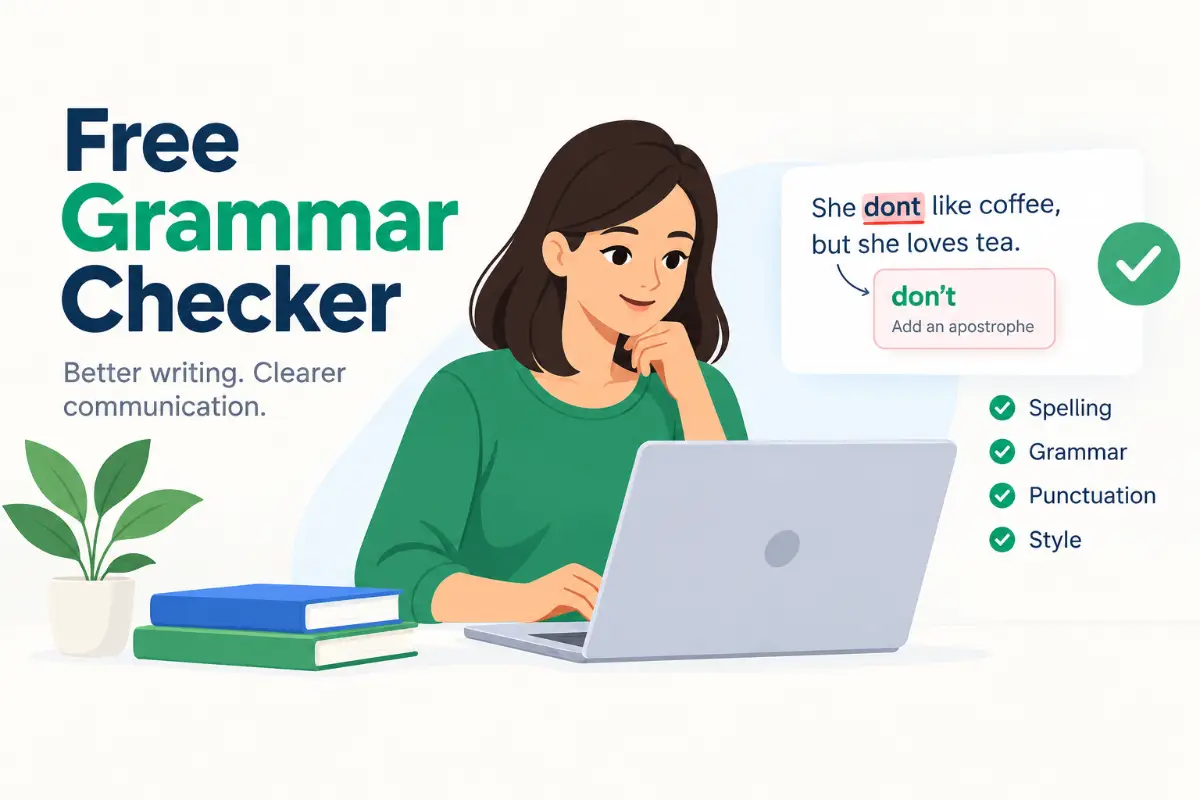
Good writing helps you share your ideas clearly, make a strong impression, and avoid misunderstandings. However, even confident writers make mistakes. A missing comma, a misspelled word, or an awkward sentence can change how a message sounds. That is where a free grammar checker can help.
Whether you are a student working on an assignment, a blogger publishing an article, a professional writing emails, or someone improving their English, checking your writing before sharing it is always a smart habit.
You do not need to be a grammar expert to write better. The right online writing tool can identify common mistakes, suggest corrections, and help you understand how to make your sentences clearer. Many tools also check spelling, punctuation, sentence structure, and word choice without requiring a paid subscription.
In this guide, you will learn how grammar-checking tools work, what features to look for, how to use them effectively, and which limitations you should know about. You will also discover practical ways to improve your writing skills while avoiding common grammar mistakes.
What Is a Free Grammar Checker?
A free grammar checker is an online tool or software feature that reviews written text and identifies potential errors in grammar, spelling, punctuation, and sentence structure. Depending on the tool, it may also suggest improvements to vocabulary, readability, and writing style.
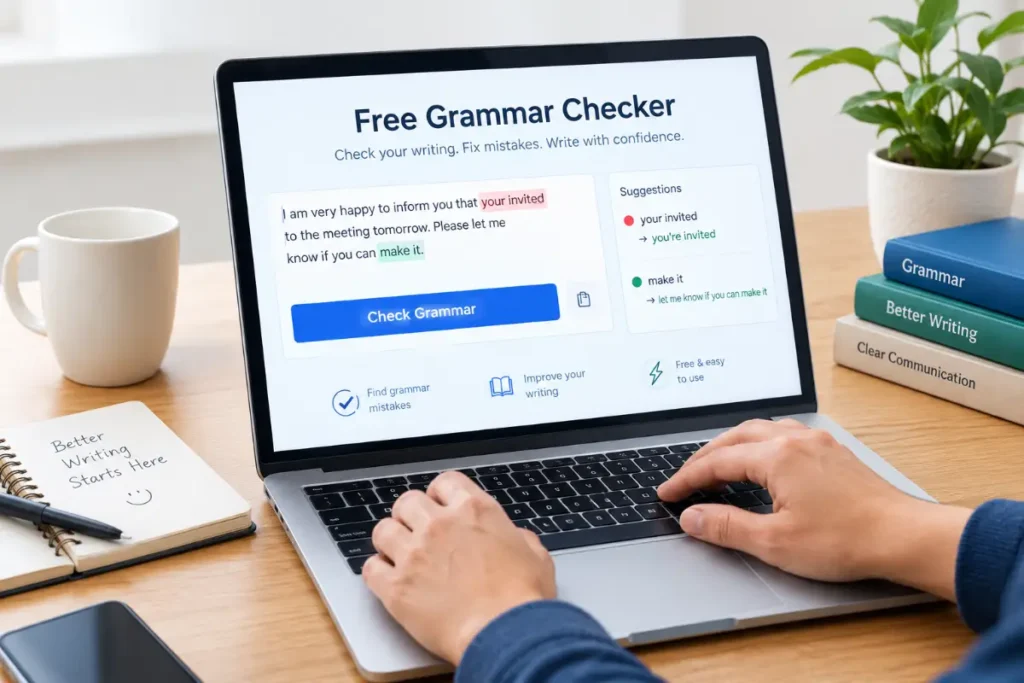
Most tools are easy to use. You simply paste your text into an editor or enter it directly into a text box. The software analyzes your writing, highlights possible mistakes, and provides suggestions for correcting them.
For example, consider this sentence:
Incorrect: She don’t like reading books.
Correct: She doesn’t like reading books.
A grammar-checking tool may identify the subject-verb agreement error and recommend the correct form.
Similarly, it may flag a sentence such as:
Incorrect: I have went to the market.
Correct: I have gone to the market.
These small corrections can make a significant difference in the quality of your writing.
However, not every suggestion is automatically correct. Some sentences depend on context, tone, or the writer’s intended meaning. That is why it is important to review suggestions rather than accepting every change without thinking.
Why Should You Use an Online Grammar Checker?
Grammar mistakes happen for many reasons. You might type too quickly, overlook a spelling error, forget a punctuation mark, or struggle to express a complicated idea in simple language.
An online grammar tool can help you catch these problems before your writing reaches its audience.
Here are some of the main benefits.
1. Find Grammar Mistakes Quickly
Manually proofreading a long article or document takes time, especially when you have been working on the same text for hours.
Automated checking can highlight common problems in seconds. These may include incorrect verb forms, missing articles, subject-verb agreement errors, and confusing sentence structures.
This makes it easier to review your work without reading every sentence repeatedly.
2. Correct Spelling and Punctuation
Spelling and punctuation errors can make otherwise good writing look careless.
For example:
- Incorrect: Their going to the office.
- Correct: They’re going to the office.
Or:
- Incorrect: Lets eat Grandma.
- Correct: Let’s eat, Grandma.
The second example shows how punctuation can affect meaning. A small apostrophe or comma can make a sentence clearer and more natural.
Many writing tools identify these errors and offer suitable corrections.
3. Improve Sentence Clarity
A sentence can be grammatically correct but still difficult to understand.
For instance:
Wordy: Due to the fact that it was raining, we decided to stay inside.
Clearer: Because it was raining, we decided to stay inside.
A writing assistant may recommend shorter expressions, simpler vocabulary, or a more direct sentence structure.
These suggestions are particularly useful for blog posts, educational articles, business emails, and other content intended for a broad audience.
4. Save Time When Writing
Writers often work under deadlines. Students may need to submit assignments, bloggers may publish several articles each week, and professionals may send dozens of emails every day.
Checking common mistakes automatically can reduce the time spent on proofreading.
Instead of concentrating only on spelling and punctuation, you can focus more attention on your main message, supporting ideas, and overall structure.
5. Build Better Writing Habits
A good grammar tool does more than highlight errors. It can also help you recognize patterns in your writing.
For example, you might repeatedly make mistakes with articles such as a, an, and the. You may also confuse words such as your and you’re.
When you review these corrections, you gradually learn which rules need more attention.
Over time, this knowledge can help you write more confidently, even when you are not using a checking tool.
What Can a Grammar Checker Detect?
Different tools provide different levels of analysis. Basic versions focus on spelling and grammar, while more advanced options may offer style suggestions and readability analysis.
The following table explains some common features.
| Feature | What It Checks | Example |
|---|---|---|
| Grammar | Sentence rules and word relationships | She go to school → She goes to school |
| Spelling | Misspelled words | Recieve → Receive |
| Punctuation | Commas, apostrophes, and periods | Its a book → It’s a book |
| Verb tense | Correct use of past, present, and future forms | Yesterday, I go → Yesterday, I went |
| Subject-verb agreement | Whether the subject and verb agree | They is ready → They are ready |
| Articles | Appropriate use of a, an, and the | I bought apple → I bought an apple |
| Word choice | Potentially incorrect or confusing words | Their going → They’re going |
| Sentence structure | Awkward or incomplete sentences | Suggestions depend on context |
| Readability | Sentence complexity and clarity | May recommend shorter sentences |
| Writing style | Tone, wordiness, and formality | May suggest a more concise expression |
Keep in mind that not every free tool includes all these features. Some provide only basic proofreading, while others offer a limited number of advanced checks without payment.
How to Use a Free Grammar Checker Online
You do not need technical knowledge to check your writing. Most online tools follow a simple process.
Step 1: Prepare Your Text
Write your content as you normally would. It could be an email, school assignment, blog post, social media caption, report, or personal message.
Do not worry about fixing every small mistake while drafting. Focus first on getting your ideas onto the page.
Step 2: Paste or Enter Your Writing
Open the tool and place your text in the editor. Some tools also allow you to upload documents or check writing through a browser extension.
If you are working with a long article, check whether the tool has a character or word limit.
Step 3: Review the Highlighted Errors
The tool may use different colors or underlines to identify potential problems.
For example, it might highlight spelling mistakes separately from grammar issues. Click or select each highlighted section to see the suggested correction and, where available, an explanation.
Step 4: Apply the Appropriate Corrections
Read each suggestion carefully before accepting it.
Some changes will be straightforward, such as correcting a misspelled word. Others may depend on the meaning of your sentence.
If a suggestion changes your intended message or makes your writing sound unnatural, keep your original wording or revise the sentence yourself.
Step 5: Proofread the Final Version
After making corrections, read the entire text again.
Check whether your ideas flow logically, your tone suits your audience, and your paragraphs are easy to follow. Also verify names, dates, numbers, technical terms, and other details that automated tools may not check reliably.
This final review helps ensure that your writing is not only correct but also clear and useful.
Best Uses for Free Grammar-Checking Tools
Grammar tools can support many different writing tasks. The most useful features depend on what you are writing and who will read it.
For Students and Academic Writing
Students can use these tools to review essays, assignments, research summaries, and other academic work.
They may help identify:
- Incorrect verb tenses.
- Missing punctuation.
- Spelling errors.
- Sentence fragments.
- Subject-verb agreement problems.
- Unclear or repetitive wording.
However, students should understand their institution’s rules regarding AI and automated writing assistance. A checking tool should support learning rather than replace original thinking or independent work.
Always verify quotations, references, facts, and subject-specific terminology separately.
For Bloggers and Website Owners
Bloggers need readable content that answers visitors’ questions clearly. Even a well-researched article can become difficult to follow when it contains awkward sentences or frequent grammar mistakes.
Checking your writing before publication can help improve readability, maintain a consistent tone, and make your content more professional.
For website owners, good proofreading is one part of a broader content strategy. Helpful information, accurate answers, appropriate headings, original insights, and a positive reader experience remain essential.
A grammar tool cannot guarantee higher search rankings, but it can help you present your content more clearly.
For Business Professionals
Emails, proposals, reports, presentations, and client messages often represent you or your organization.
A small mistake may not always cause a problem, but repeated errors can distract readers from your message.
Use automated proofreading to check professional correspondence, especially when writing to clients, managers, colleagues, or business partners.
You should also review the tone. A message to a close colleague may be conversational, while a formal proposal usually requires more structured language.
For English Learners
People learning English can benefit from seeing their mistakes explained in context.
For example, a learner might write:
Incorrect: He is married with a doctor.
Correct: He is married to a doctor.
Repeated exposure to these corrections can help learners understand common expressions, prepositions, verb forms, and sentence patterns.
For the best results, do not simply accept every correction. Read the explanation, write down recurring mistakes, and practice creating your own examples.
For Everyday Messages and Social Media
You can also use a grammar tool for personal messages, captions, applications, cover letters, and online posts.
The goal is not to make every sentence sound formal. Instead, it is to ensure your message communicates what you intend.
A casual message can still be grammatically clear while keeping its friendly personality.
How to Choose the Right Grammar-Checking Tool
Not every writing assistant is suitable for every user. Some focus on quick corrections, while others provide detailed explanations and advanced writing suggestions.
Before choosing a tool, consider the following factors.
Accuracy and Quality of Suggestions
Look for a tool that identifies common errors without unnecessarily changing correct sentences.
No automated checker is perfect. The quality of its suggestions may vary depending on the sentence, writing style, and context.
A useful tool should make your writing clearer rather than simply rewriting everything.
Free Features and Usage Limits
Some services offer unlimited basic checking, while others restrict the number of words, checks, or advanced suggestions available to free users.
Check what is included before relying on a tool for a long article or important document.
Also distinguish between a genuinely available free feature and a free trial that requires payment after a limited period.
Ease of Use
A straightforward interface makes proofreading faster.
Look for features such as:
- A simple text editor.
- Clear error highlighting.
- Easy-to-understand corrections.
- Copy-and-paste functionality.
- Convenient editing options.
- Support for your preferred device or browser.
You should not need to learn a complicated system just to correct a few sentences.
Language and Regional Preferences
English has several varieties, including American, British, Canadian, and Australian English.
These varieties sometimes use different spellings or punctuation conventions.
For example:
| American English | British English |
|---|---|
| Color | Colour |
| Center | Centre |
| Organize | Organise |
| Traveling | Travelling |
Both forms may be correct depending on the variety you are using.
Choose a tool that supports your preferred version of English, or check its language settings before editing your content.
Privacy and Data Protection
Before pasting sensitive information into an online tool, review its privacy policy and data-handling practices.
Avoid submitting passwords, confidential business documents, personal identification details, private client information, or other sensitive material unless you are confident the service is appropriate for that use.
If you regularly handle confidential information, consider whether an approved offline tool or organization-managed writing assistant would be more suitable.
Popular Grammar-Checking Tools to Consider
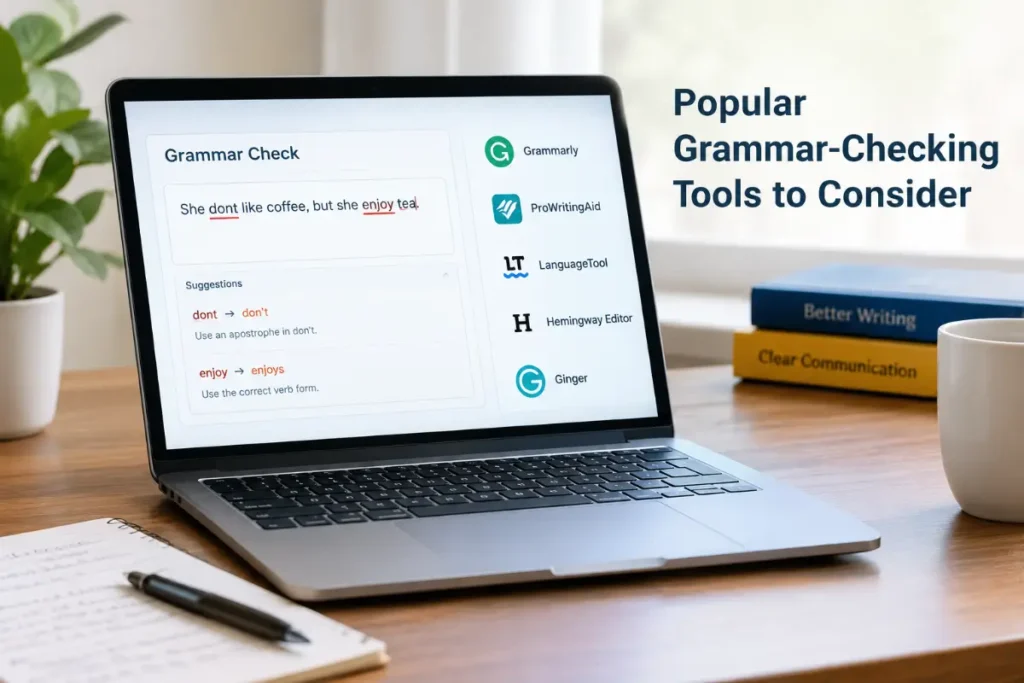
Several established writing tools offer grammar-related features. Their free plans and available features can change, so check the current terms before choosing one.
1. Grammarly
Grammarly is a widely known writing assistant that checks grammar, spelling, punctuation, and aspects of writing clarity.
It offers tools for different writing environments, with the exact features depending on the product and plan.
It may be useful for people who regularly write emails, articles, assignments, and professional messages.
Best for: Everyday proofreading and general writing assistance.
Website: https://www.grammarly.com/
2. LanguageTool
LanguageTool is a proofreading tool that checks grammar, spelling, punctuation, and some stylistic issues. It supports multiple languages and can be useful for multilingual writers.
Its free version has limits, and the number of words or advanced features available may depend on the current plan.
Best for: Multilingual writing and everyday proofreading.
Website: https://languagetool.org/
3. QuillBot Grammar Checker
QuillBot provides a grammar-checking tool designed to identify common writing errors and suggest corrections. It can be useful for checking paragraphs, essays, and general online content.
Additional writing features may have separate usage limits or subscription requirements.
Best for: Quick proofreading and basic sentence corrections.
Website: https://quillbot.com/grammar-check
4. Microsoft Editor
Microsoft Editor provides spelling, grammar, and writing assistance in supported Microsoft products and environments. Available features depend on your account, application, and subscription.
It can be convenient if you already write documents or emails using Microsoft’s software.
Best for: People who work regularly in Microsoft Word and other supported Microsoft applications.
Website: https://www.microsoft.com/microsoft-365/microsoft-editor
5. Google Docs Writing Suggestions
Google Docs includes spelling and grammar suggestions in supported languages and configurations. It can be a convenient option because you can review your writing directly inside the document.
Availability and specific suggestions may vary depending on your account, language, and settings.
Best for: Students, teams, and writers who draft documents in Google Docs.
Website: https://docs.google.com/
Quick Comparison
| Tool | Main Strength | Suitable For |
|---|---|---|
| Grammarly | General grammar and clarity suggestions | Everyday and professional writing |
| LanguageTool | Multilingual proofreading | Writers using different languages |
| QuillBot | Quick grammar corrections | Essays, paragraphs, and articles |
| Microsoft Editor | Integration with supported Microsoft products | Office documents and emails |
| Google Docs | Checking text while editing documents | Collaborative and everyday writing |
These tools serve similar purposes but do not provide identical results. The best option is the one that meets your writing needs, works with your preferred language, and offers the features you actually use without unnecessary expense.
Free Grammar Checker vs. Manual Proofreading
Automated checking and manual proofreading are most effective when used together.
A checking tool can identify many common mistakes quickly, but a human reader can better evaluate meaning, logic, tone, and the overall purpose of a message.
Consider the following comparison.
| Task | Automated Checking | Manual Proofreading |
|---|---|---|
| Detect common spelling errors | Often very effective | Effective but may miss errors |
| Identify basic grammar problems | Helpful for common patterns | Useful for context-dependent issues |
| Understand the writer’s intention | May struggle with ambiguity | Usually better with sufficient context |
| Evaluate tone and emotion | Limited and tool-dependent | Better suited to human judgment |
| Check factual accuracy | Not reliable on its own | Requires careful verification |
| Improve overall organization | May offer limited suggestions | Better for reviewing the full argument |
| Review names and technical terms | May flag correct terms incorrectly | Can verify details against reliable sources |
For a short text message, automated checking may be enough for a quick review. For an important report, published article, application, or academic paper, a more careful human review is worthwhile.
Common Grammar Mistakes to Watch For
Even with a writing assistant, learning common grammar rules can help you avoid errors in the first place.
Your vs. You’re
Your indicates possession, while you’re is a contraction of you are.
- Correct: Your explanation is helpful.
- Correct: You’re doing a great job.
Their vs. There vs. They’re
These words sound alike but have different meanings.
- Their: Their house is near the park.
- There: Put the book over there.
- They’re: They’re waiting outside.
Its vs. It’s
Its shows possession. It’s means it is or it has.
- Correct: The dog wagged its tail.
- Correct: It’s raining today.
Subject-Verb Agreement
The verb should agree with its subject.
- Incorrect: The students is ready.
- Correct: The students are ready.
Incorrect Verb Tenses
Use verb forms that match the intended time and grammatical structure.
- Incorrect: She has ate breakfast.
- Correct: She has eaten breakfast.
Run-On Sentences
A run-on sentence joins independent clauses without suitable punctuation or a conjunction.
- Incorrect: I finished my work I went outside.
- Correct: I finished my work, and I went outside.
Understanding these basic rules makes it easier to recognize incorrect suggestions, correct mistakes independently, and improve your writing over time.
Can a Free Grammar Checker Improve Your SEO Content?
Yes, a grammar tool can support SEO content creation by helping you produce clear, readable, and polished articles. However, it is only one part of the process.
Search-focused content should first answer the reader’s question accurately and completely.
For example, if you are writing an article about a common grammar question, your content should explain the correct usage, show examples, address related questions, and help readers understand the topic without confusion.
A practical SEO editing process includes the following steps:
- Match search intent: Make sure the article answers what readers are actually looking for.
- Use clear headings: Organize the content with descriptive H2 and H3 headings.
- Write naturally: Include the main keyword and related terms where they fit the meaning.
- Add useful examples: Help readers understand rules through realistic sentences.
- Check readability: Remove unnecessary repetition, confusing phrasing, and overly long sentences.
- Verify facts: Confirm definitions, rules, and claims using reliable references when necessary.
- Proofread before publishing: Check the final version for grammar, spelling, and punctuation.
Avoid forcing keywords into sentences simply to increase their frequency. Search engines and readers benefit more from relevant, helpful content than from unnatural repetition.
A proofreading tool can help improve presentation, but it cannot replace research, subject knowledge, original insights, or a well-planned content strategy.
Limitations You Should Know Before Using a Grammar Tool
Although these tools are useful, they cannot solve every writing problem.
They Can Misunderstand Context
A sentence may be grammatically correct in one situation but inappropriate in another.
For example, dialogue, jokes, creative writing, and regional expressions may intentionally break conventional grammar rules.
An automated system may recommend a change that removes the original meaning or personality.
They May Miss Errors
A sentence can look grammatically correct while communicating the wrong information.
For example, the sentence “I defiantly agree with you” is grammatically possible, but the writer may have intended to say “I definitely agree with you.”
Because both words are spelled correctly, a basic spellchecker may not flag the mistake.
They Cannot Guarantee Originality
Grammar checking does not establish whether your writing is original or whether it properly credits other people’s work.
If you use external sources, verify your references, cite material appropriately, and follow the rules that apply to your assignment or publication.
Advanced Features May Require Payment
Some tools limit advanced corrections, style recommendations, longer documents, or other features to paid plans.
Read the plan details before assuming a service is completely free.
They Do Not Replace Learning
Automatically correcting every mistake can save time, but you may miss opportunities to understand why the original sentence was wrong.
Whenever possible, learn from the explanations and practice the relevant grammar rules.
Tips for Getting Better Results
You can make your proofreading process more effective with a few simple habits.
- Write your first draft naturally. Focus on ideas before worrying about every punctuation mark.
- Check one section at a time. Smaller sections can be easier to review, especially when working with long articles.
- Read the suggestions carefully. Accept corrections that improve accuracy and meaning.
- Keep your writing style. Do not allow automated suggestions to remove your natural voice.
- Check your preferred English variety. Use consistent spelling and grammar conventions throughout the document.
- Review repeated mistakes. Keep a short list of errors you commonly make and practice correcting them.
- Read the final text aloud. This can help you notice awkward phrasing, missing words, and sentences that are difficult to follow.
- Protect private information. Review the tool’s privacy practices before submitting confidential text.
- Verify important details separately. Grammar software is not a substitute for fact-checking.
These habits can improve both the quality of your writing and your ability to recognize mistakes independently.
Frequently Asked Questions (FAQs)
1. What is the best free grammar checker?
The best option depends on your needs. Grammarly, LanguageTool, QuillBot, Microsoft Editor, and Google Docs all offer grammar-related assistance in different environments. Compare their current free features, language support, usage limits, and privacy policies before choosing one.
2. Can I check my grammar online for free?
Yes. Several online tools let you paste text into an editor and check for common grammar, spelling, and punctuation errors without paying. Some services may limit the number of words, checks, or advanced features available on their free plans.
3. Is a free grammar checker accurate?
Many tools can identify common writing errors effectively, but none should be treated as completely reliable. They may miss context-dependent mistakes or recommend changes that alter your intended meaning. Review the suggestions before applying them.
4. Can I check a long article for grammar mistakes?
Yes, provided the tool supports the length of your document. Some free versions have word or character limits, so you may need to check your article in smaller sections.
5. Can grammar tools help English learners?
Yes. They can help English learners recognize spelling mistakes, verb errors, incorrect prepositions, punctuation problems, and awkward sentence structures. Reviewing explanations and practicing corrected examples can make the learning process more effective.
6. Do grammar checkers fix punctuation and spelling?
Most established writing assistants check common spelling and punctuation errors, along with at least some grammar problems. The range of features varies by service and subscription plan.
7. Can I use a grammar checker for blog posts?
Absolutely. Bloggers can use these tools to proofread articles, improve sentence clarity, correct common mistakes, and maintain consistent writing quality. They should still verify information, check search intent, and review the article’s structure before publishing.
8. Is a grammar checker better than proofreading manually?
Neither approach is best for every situation. Automated tools are fast at detecting many common errors, while manual proofreading is valuable for understanding meaning, tone, and context. Combining both approaches usually produces better results.
9. Can grammar checkers rewrite my sentences?
Some writing assistants suggest alternative wording or offer rewriting features. These capabilities vary by tool and plan. Review any rewritten sentence to ensure that it preserves your meaning, voice, and intended tone.
10. Is my text safe when I use an online grammar tool?
Privacy practices vary between services. Before submitting sensitive text, review the provider’s privacy policy, data retention practices, and available privacy settings. Avoid entering confidential information into a service unless it is approved for that purpose.
Conclusion
Better writing does not require perfect grammar from the beginning. It requires clear ideas, careful review, and a willingness to learn from mistakes.
A free grammar checker can help you identify common errors, improve sentence clarity, correct spelling and punctuation, and prepare your writing for readers. It can be especially useful for students, bloggers, professionals, English learners, and anyone who writes regularly.
However, automated suggestions should support your judgment, not replace it. Always consider context, preserve your natural voice, and proofread the final version before sharing or publishing it.
Start with a tool that fits your needs, review its suggestions carefully, and pay attention to the mistakes you make most often. With regular practice, you can write more clearly, communicate more confidently, and spend less time worrying about small errors.